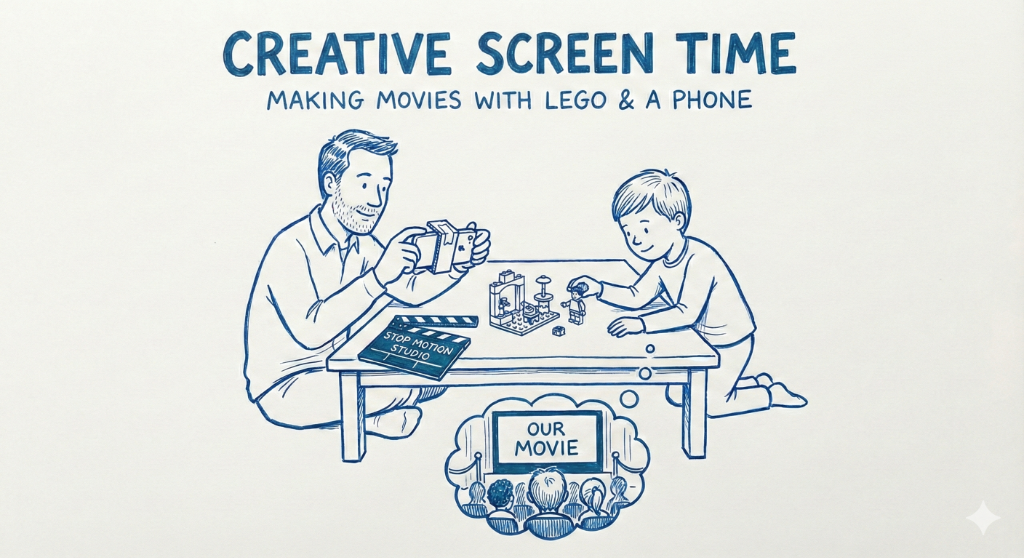
You’ve seen it. The glassy-eyed stare as they watch other people play with toys on YouTube for hours. It’s passive, it’s mindless, and it drives you crazy.
But what if you could take that screen obsession and flip it on its head? What if the phone wasn’t a pacifier, but a production studio?
Welcome to creative screen time. We are going to take that giant bin of plastic bricks and turn your living room into Pixar.
This is a medium-energy activity. It’s not a quick fix. It requires focus, a steady hand, and a surprising amount of patience. But the payoff—watching their own toys come to life—is magic.
Here is your crash course in stop motion for kids, turning a dad and a kid into a film crew.
The Concept: What is Stop Motion?
Explain it like this: A movie isn’t one long moving picture. It’s thousands of photographs shown really, really fast.
To make a Lego movie, we have to take a picture, move the Lego guy’s leg a tiny bit, take another picture, move it again, and repeat.
It is the ultimate patience building activity. You cannot rush it. It is slow, deliberate, and teaches incredible focus.
The Studio Gear (What You Need)
You do not need expensive equipment to get an introduction to filmmaking. You have everything you need right now.
The Camera: Your smartphone.
The Software: Download an easy stop motion app. “Stop Motion Studio” (the free version) is excellent and intuitive for beginners.
The Stars: A couple of Lego minifigures.
The Most Important Part: The Tripod. The camera cannot move. You don’t need a real tripod. Build a cradle out of Lego bricks to hold the phone steady, or use a stack of books and a coffee mug to prop it up.
Action! Your First Shot
Keep your first project impossibly simple. Don’t try to film a battle scene. Film a guy walking across a baseplate.
Step 1: The Setup. Place your phone in your makeshift tripod. Frame your shot. Tape the tripod to the table if you have to. Rule #1: Don’t bump the camera.
Step 2: The First Frame. Place your Lego figure at the edge of the frame. Tap the capture button on the app. You have one frame.
Step 3: The Move. Move the figure forward just one stud. Maybe move one leg forward a tiny bit. Rule #2: Tiny moves make smooth movies.
Step 4: The Rinse & Repeat. Take another picture. Move him again. Take a picture. Move him again.
To get one second of video, you need about 10-12 photos. To make him walk across the screen, you might need 50 photos.
Why This is a “Dad & Kid Film Project”
You are the director of photography (keeping the camera steady). They are the animator (moving the figures).
This is collaborative storytelling with toys. You are solving problems together: How do we make him jump? How do we make it look like he’s flying? (Hint: lots of sticky tack).
You are teaching tech skills for kids and visual arts simultaneously.
The Premiere
When you have 50 frames, press play.
The first time they see their inanimate Lego figure walk on the screen, their minds will be blown. They didn’t just watch content; they created it.
Your first movie will be six seconds long and incredibly jerky. It will also be a masterpiece.
Ready for more project ideas beyond the brick bin? Download FunDad on the App Store for hundreds of ideas to turn screen time into creative time.